


Resolution:1920*1080/2k/4k
Refresh Rate:Customize from 60HZ~144HZ or more.
Color Accuarcy:72% SRGB or 100% SRGB according to client's option
Screen size:15.6
Aspect...
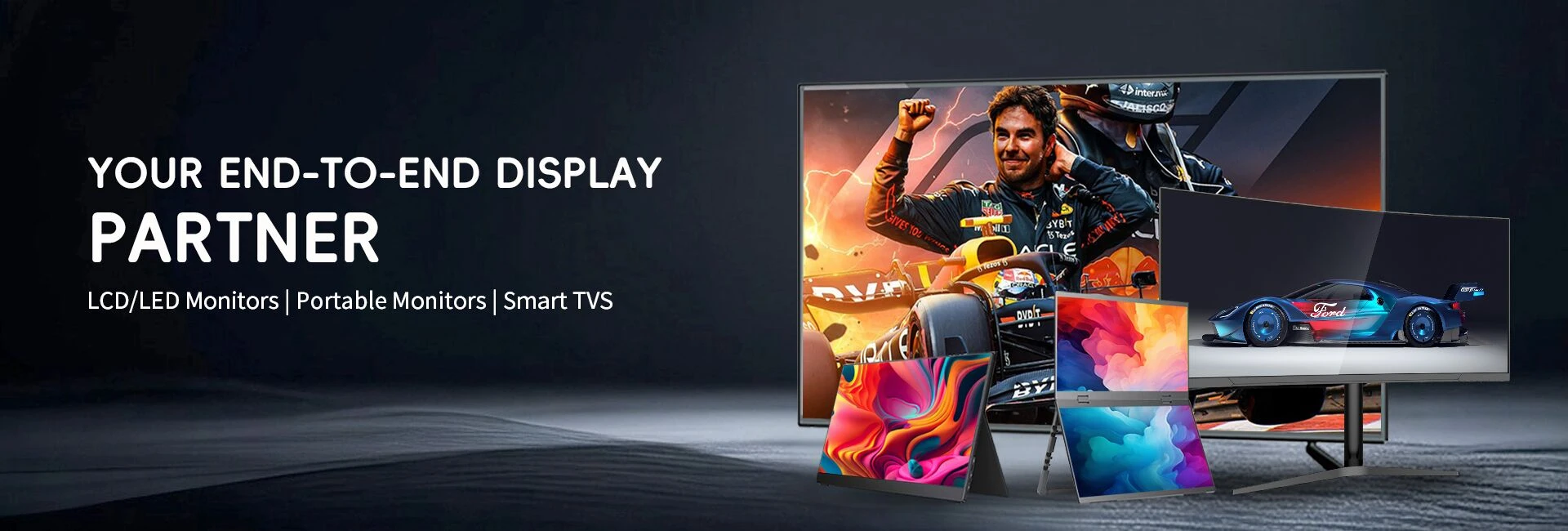
Portable Monitor
Dongguan Kaidi Electronic Technology Co., Ltd: Your Professional Portable Monitor
Dongguan Kaidi Electronic Technology Co., Ltd is an innovative enterprise dedicated to the agency and sales of liquid crystal displays, supply chain financial management within the LCD sector, and the production and sales of televisions and monitors. Established in 2007, our core partnership factory has grown through years of development and technological advancement, becoming a frontrunner in the manufacture of televisions and monitors. With a youthful and vibrant team, the company has swiftly established a competitive edge in supply chain management, supported by a robust LED/LCD screen supply chain and factory resources. Internationally, Guangzhou Magic is actively expanding its B2B segment, providing high-quality OEM services and delivering comprehensive product support to global customers. Concurrently, the company is venturing into the B2C retail market, aiming to build a global sales network to offer customers a wider variety of choices and more efficient services.
Rich Product Variety
Our main products include LED LCD TV, SKD CKD TV, interactive whiteboard, TV opencell, portable monitor and other electronic equipment.
Competitive Price
We have a professional purchasing team and costing team, trying to reduce costs and profits, and provide you with a good price.
Complete Qualifications
Our products meet and exceed 20 international standards. We cooperate with international certification agencies such as CCC, CE, ROHS, UL, FCC, SAA, BV, etc. to ensure product quality.
Global Shipping
We cooperate with professional sea shipping, air and logistics companies to provide you with the best transportation solution.
Rich Experience
Our core cooperative factory was established in 2007. After years of development and technological progress, our company has rich production and manufacturing experience and has become a leader in the field of TV and display manufacturing.
Leading Service
We have many years of industry experience and a complete production management, quality supervision, sales service operation system. Whether you want to buy interactive whiteboard or portable monitor, just send your requirements by email and we can customize the product for you.
-
![Wholesale 15.6 Inch Portable Monitor]()
-
![High Quality 15.6 Inch Dual IPS Monitor]() High Quality 15.6 Inch Dual IPS MonitorResolution:1920*1080/2k/4k Refresh Rate:Customize from 60HZ~144HZ or more. Color Accuarcy:72% SRGB or 100% SRGB according to client's option Aspect ratio :16:9(Widescreen) Screen...read more
High Quality 15.6 Inch Dual IPS MonitorResolution:1920*1080/2k/4k Refresh Rate:Customize from 60HZ~144HZ or more. Color Accuarcy:72% SRGB or 100% SRGB according to client's option Aspect ratio :16:9(Widescreen) Screen...read more -
![HDR Portable Gaming Monitor 16 Inch]() HDR Portable Gaming Monitor 16 InchHDR (High Dynamic Range) Monitors provides higher contrast and more vibrant colors, enhancing the viewing experience for content that supports HDR. High-dynamic range (HDR) is a specification that...read more
HDR Portable Gaming Monitor 16 InchHDR (High Dynamic Range) Monitors provides higher contrast and more vibrant colors, enhancing the viewing experience for content that supports HDR. High-dynamic range (HDR) is a specification that...read more -
![High Quality 17.3 Inch IPS Monitor]() High Quality 17.3 Inch IPS MonitorResolution:1920*1080/2k/4k Refresh Rate:Customize from 60HZ~144HZ or more. Color Accuarcy:72% SRGB or 100% SRGB according to client's option Screen size: 17.3"read more
High Quality 17.3 Inch IPS MonitorResolution:1920*1080/2k/4k Refresh Rate:Customize from 60HZ~144HZ or more. Color Accuarcy:72% SRGB or 100% SRGB according to client's option Screen size: 17.3"read more
Aspect... -
![HDR Portable Gaming Monitor 16 Inch]() HDR Portable Gaming Monitor 16 InchResolution:1920*1080/2k/4k Refresh Rate:Customize from 60HZ~144HZ or more. Color Accuarcy:72% SRGB or 100% SRGB according to client's option Screen size: 16.1"read more
HDR Portable Gaming Monitor 16 InchResolution:1920*1080/2k/4k Refresh Rate:Customize from 60HZ~144HZ or more. Color Accuarcy:72% SRGB or 100% SRGB according to client's option Screen size: 16.1"read more
Aspect... -
![15.6 Inch Dual Screen Extended Monitor]() 15.6 Inch Dual Screen Extended MonitorResolution:1920*1080/2k/4k Refresh Rate:Customize from 60HZ~144HZ or more. Color Accuarcy:72% SRGB or 100% SRGB according to client's option Screen size:15.6read more
15.6 Inch Dual Screen Extended MonitorResolution:1920*1080/2k/4k Refresh Rate:Customize from 60HZ~144HZ or more. Color Accuarcy:72% SRGB or 100% SRGB according to client's option Screen size:15.6read more
Aspect... -
![4K HDR Portable 14 Inch Screen]() 4K HDR Portable 14 Inch ScreenResolution:1920*1080/2k/4k Refresh Rate:Customize from 60HZ~144HZ or more. Color Accuarcy:72% SRGB or 100% SRGB according to client's option Screen size: 14.0"read more
4K HDR Portable 14 Inch ScreenResolution:1920*1080/2k/4k Refresh Rate:Customize from 60HZ~144HZ or more. Color Accuarcy:72% SRGB or 100% SRGB according to client's option Screen size: 14.0"read more
Aspect... -
![13.3 Inches 4K Sleek Ultra-Portable Display]() 13.3 Inches 4K Sleek Ultra-Portable DisplayResolution:1920*1080/2k/4k Refresh Rate:Customize from 60HZ~144HZ or more. Color Accuarcy:72% SRGB or 100% SRGB according to client's option Screen size: 13.3read more
13.3 Inches 4K Sleek Ultra-Portable DisplayResolution:1920*1080/2k/4k Refresh Rate:Customize from 60HZ~144HZ or more. Color Accuarcy:72% SRGB or 100% SRGB according to client's option Screen size: 13.3read more
Aspect...


What Is a Portable Monitor
Portable monitors are slim, lightweight displays that connect to your computer to serve as a portable, dual monitor solution. They are designed to be lightweight, easy to deploy, and taken anywhere. They can provide extra screen space for productivity work, often matching the height of your laptop screen. They can also be used for console or PC gaming, with some operating at high refresh rates.
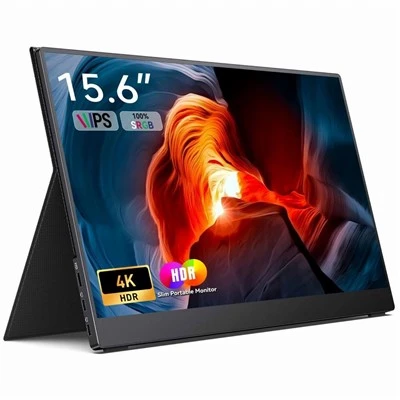
Benefits of Portable Monitor
Increased Productivity:
With a portable monitor, you can have a dual-screen setup that allows you to work on multiple tasks simultaneously. This feature is especially useful for people who need to work with multiple applications or software.
Improved Visual Experience:
Portable monitors offer better viewing angles, color accuracy, and brightness compared to laptop screens. This feature is beneficial for creative professionals who work with images or videos.
Easy to Carry Around:
Portable monitors are slim, lightweight, and easy to carry around, making them an excellent choice for people who are always on the move.
Types of Portable Monitor
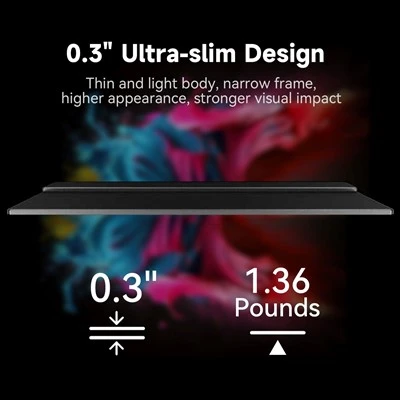
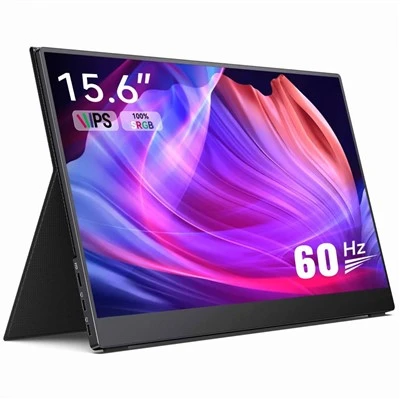
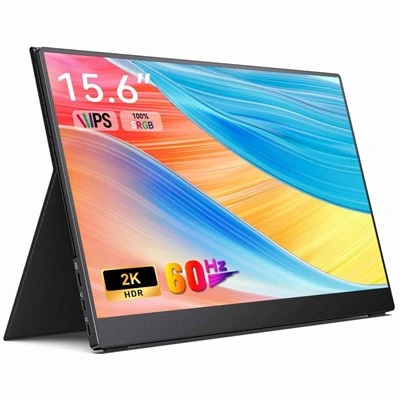
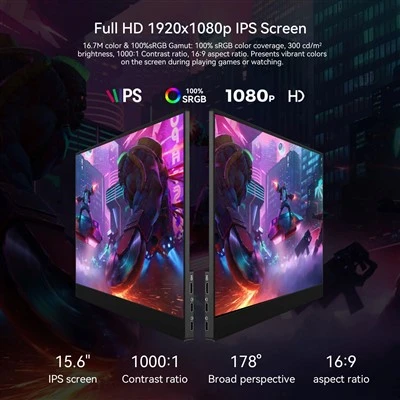
Dual Screen Extended Monitor
Dual Screen Extended Monitor lets you easily switch between applications, compare documents, and streamline your workflow. Using dual monitors can improve your productivity and multitasking capabilities. Whether you're a professional looking for a more efficient work setup or a gamer looking to immerse yourself in an expansive gaming experience, our selection of dual monitors delivers crisp visuals, seamless connectivity, and customizable features to meet your specific needs.
IPS Monitor
IPS Monitor, short for "In-Plane Switching," uses liquid crystals arranged between two glass surfaces to produce rich colors. Additionally, the liquid crystals' ability to shift horizontally allows for impressive viewing angles without color shifting. Because of this, IPS displays are ideal for those seeking color accuracy and consistency, as well as ultra-wide viewing angles.
HDR Portable Game Monitor
HDR (High Dynamic Range) Monitors provides higher contrast and more vibrant colors, enhancing the viewing experience for content that supports HDR. High-dynamic range (HDR) is a specification that determines whether a display can render an image that has deeper contrast, a wider color gamut, and generally better representation of brightness than that of a standard-dynamic range (SDR) display. This means that with content that supports HDR and a correctly calibrated display, you will often be able to spot more details in both brighter and darker scenes while also enjoying an image that can look slightly more saturated or color-accurate, depending on the implementation.
4K Sleek Ultra-Portable Display
4K Sleek Ultra-Portable Display with In-Plane Switching (IPS) technology delivers sharper, more accurate images and wide viewing angles on a 16:9 screen. Its lightweight and slim form factor fits easily into most travel bags. The monitor features High Dynamic Range (HDR) technology to enhance image quality, significantly expand contrast and color range, and create an exceptional viewing experience.
How to Use Portable Monitor
Powering Up
Connect your device to your portable monitor now. It can be powered by an external adaptor or by the USB port. Above all, it is dependent upon the model.
Transmission of Data
The portable display receives the data or video stream from your device via the selected connection (HDMI, USB-C, etc.). The monitor processes the visual information contained in this signal, which includes text, images, and videos.
Display Processing
A graphics processing unit (GPU) or video controller receives and processes the video signal. After the input is interpreted, the GPU produces the proper display output.
Display Panel Activation
The GPU activates the display panel—whether it’s an LCD or IPS—by sending electrical signals to individual pixels on the screen. These signals control the orientation of liquid crystals or the alignment of IPS cells, resulting in the intended visual output.
Backlight Illumination
If the portable monitor features LED backlighting, the LED lights behind the display panel are activated to provide uniform illumination. This backlighting ensures that the visuals are visible and that colors are accurate.
User Interaction
If the portable monitor has touchscreen functionality, it registers your touch gestures, such as taps, swipes, and pinches, using a touch sensor. The sensor relays this information to the monitor’s controller, which translates your gestures into commands for the connected device.
Display Refresh
The portable monitor continually updates the display by refreshing the image at a specific rate, usually measured in Hertz (Hz). This constant refreshing ensures smooth and flicker-free visuals.
On-Screen Output
The final result is the display of your content on the portable monitor’s screen. You can view, interact, and work with your content as you would on any standard monitor.
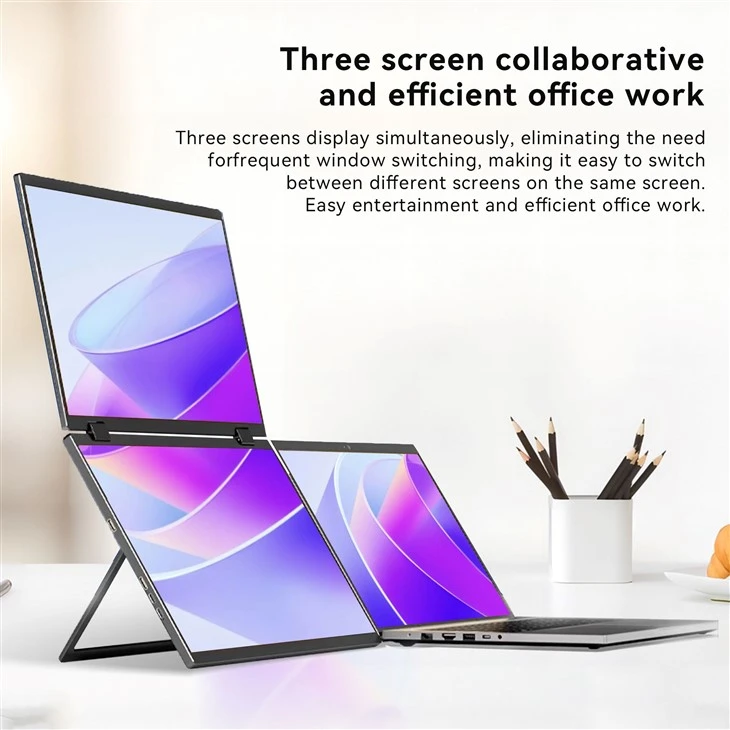
Factors to Consider When Selecting Portable Monitors
Size and Weight
Consider the size and weight of the portable monitor you want to buy. If you need to carry it around frequently, choose a smaller and lighter model.
Resolution
Look for a portable monitor with a resolution that matches or exceeds that of your laptop or device. The higher the resolution, the better the image quality.
Connectivity
Consider the type of connectivity the portable monitor offers. USB-C is the most popular option, but HDMI and DisplayPort are also common. Make sure your device has the corresponding port to connect the monitor.
Power Consumption
Choose a portable monitor with low power consumption, especially if you plan to use it with a laptop or tablet. Some models offer power through the USB-C port, which eliminates the need for an external power source.
Price
Portable monitors come in different price ranges, from budget to high-end. Consider your budget and the features you need before making a purchase.
Applications of Portable Monitor
Business Presentations
Portable monitors are invaluable for business presentations. Instead of relying on the often unpredictable conference room setups, you can bring your own monitor. This ensures that your presentation goes off without a hitch, with clear visuals and no technical glitches.
Client Meetings
When meeting clients, a portable monitor can help you showcase your work more effectively. Whether you're presenting a design, a financial report, or a new product, having an extra screen can make the presentation more engaging and professional.
Teaching and Tutoring
Educators and tutors can use portable monitors to enhance their teaching methods. They can display lesson plans, educational videos, and interactive activities on the extra screen, making learning more dynamic and interactive.
Gaming and Leisure
Gamers can create a portable gaming setup with a portable monitor. This allows them to play their favorite games wherever they go, without being tied to a traditional gaming desk.
Maintenance Tips for Portable Monitor
Proper Cleaning and Maintenance
Regularly clean your portable monitor using appropriate cleaning solutions and microfiber cloths to remove dust and smudges. Abrasive or strong chemicals should not be used since they may harm the display or protective coatings. In addition, routinely check the cables and connectors for any indications of damage and replace them as necessary.
Safe Transportation and Storage
Use a cover or sleeve to protect your portable monitor from any bumps and scratches when travelling it. To prevent physical damage to the display, avoid stacking heavy things on top of it. Keep the monitor out of the sun and away from high temperatures while it is being stored.
Optimal Usage Habits
Avoid subjecting your portable monitor to prolonged usage at maximum brightness levels, as this can contribute to accelerated wear on the backlighting system. Adjust the brightness to a comfortable level that suits your environment and reduces unnecessary strain on the monitor's components. Additionally, avoid placing heavy objects on the display to prevent pressure-related damages.
Regular Updates and Firmware
Regular firmware and software upgrades from the manufacturer can improve the functionality and increase the life of your portable monitor. Bug fixes, security upgrades, and increased device compatibility are frequently included in these updates. Maintaining the most recent firmware guarantees that your monitor will perform at its best for the duration of its life.
Certificate


Frequently Asked Questions
As one of the leading portable monitor manufacturers and suppliers in China, we warmly welcome you to wholesale portable monitor for sale here from our factory. All customized products are with high quality and competitive price. Contact us for pricelist.
travel multimedia monitor, external energy efficient monitor, portable display